Framer vs Webflow for solopreneurs (2026): which no-code site builder?
Framer vs Webflow, decided for a one-person business — not an agency. Framer wins on speed and design-led output; Webflow wins on CMS depth and pixel control at scale. Which one you actually need, honestly, plus the EU hosting and GDPR angle.

Solo operator · one-person venture studio in Europe (SEO · affiliate · micro-SaaS) · 16 July 2026 · updated 16 July 2026 · 4 min read

Both Framer and Webflow can build a beautiful no-code site — the comparison that actually matters for a one-person business (not an agency) is: which one gets you to a finished, good-looking site with the least friction, and which one you’d only reach for with a specific reason. Here’s the honest split.
How I evaluated these. For a solo, a site builder should: produce a credible, modern result, be learnable without a course, cover the content structure you realistically need, and not become a second job to maintain. Agency-grade ceilings matter less than time-to-live. Pricing and features below are indicative 2026 and change — verify on each site.
At a glance
| Framer | Webflow | |
|---|---|---|
| Best for | Design-led, modern sites, fast | Pixel control + deep CMS at scale |
| Learning curve | Gentle (design-world feel) | Steepest of the no-code builders |
| CMS | Capable, streamlined | Deeper, more flexible |
| Design ceiling | Outstanding visual output | Near-code precision |
| Time to live (solo) | Fast | Slower (more to learn) |
| Price (indicative) | Free subdomain · ~€5–15/mo | ~€14–23/mo (free .io staging) |
Framer — the default for most solos
Framer
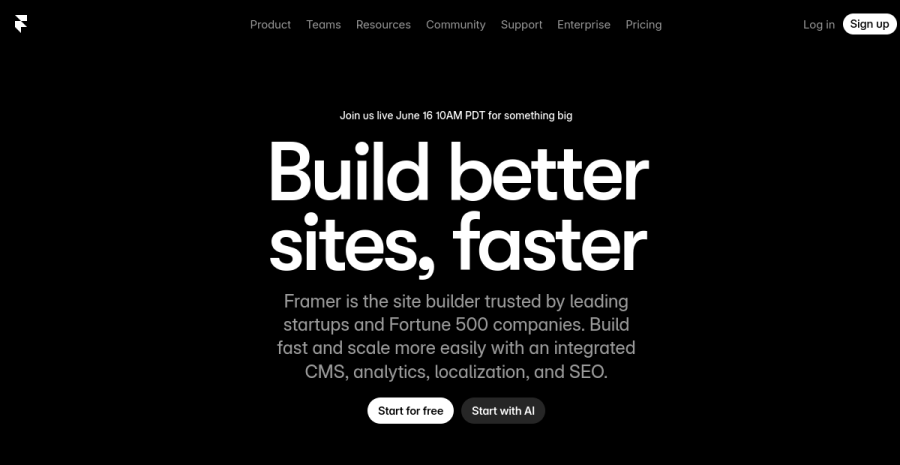
Framer comes from the design world and it shows: real animation, slick interactions, a capable CMS and some of the best-looking output of any no-code builder — and it’s faster to learn and faster to ship than Webflow. For the sites a solopreneur actually builds — a personal brand, a portfolio, a studio-of-one, a product or marketing page — it hits the sweet spot of great result for little time.
Pros: outstanding visual output; animations and interactions; streamlined CMS that covers most solo needs; genuinely quick to pick up; cheaper entry. Cons: its CMS and structural depth top out below Webflow’s; less suited to very large, content-heavy sites; you can lean on motion at the expense of substance.
Best for: the solo who wants a modern, great-looking site live this week without learning the box model.
Webflow — when you have a specific reason
Webflow

Webflow is the most powerful builder of the pair: it exposes the actual box model (flexbox, grid, positioning) and a deeper, more flexible CMS, so it’s what to choose when you want near-code control or a content structure that will genuinely scale. That power carries the steepest learning curve of the no-code builders — real hours before you’re productive — which is why it’s overkill for a simple brochure or brand site.
Pros: near-code precision over layout and markup; the deepest CMS here (references, complex collections); scales into a serious content operation; clean output. Cons: steepest curve by far; slower to a finished result; more than most solos need; higher entry price.
Best for: solos who will invest the hours and have a concrete need — deep CMS, complex dynamic content, or precise control — that Framer can’t meet.
How to decide
| If you… | Pick |
|---|---|
| Want a modern, design-led site live fast | Framer |
| Are building a brand, portfolio, studio or product page | Framer |
| Need a deep, flexible CMS that will scale | Webflow |
| Want near-code, pixel-precise control | Webflow |
| Can’t name a Webflow-only requirement | Framer (default) |
The blunt version: Framer is the right default for a one-person business — it gets you a great result with the least friction. Reach for Webflow only when you can point to the specific thing it does that Framer doesn’t (usually deep CMS or precise control) and you’re willing to climb the curve for it. Choosing the builder for a feeling of power you won’t use is the common, expensive mistake.
Where this fits
This is the two-way cut of a bigger field — if you’re not sure a design-led builder is even right, the full best website builders for solopreneurs roundup compares these two against Hostinger, Wix, Squarespace and Carrd (with EU hosting and EUR pricing in mind). For a single conversion page rather than a whole site, see the best landing page builders, and for the DIY path start with how to build a website solo.
Bottom line
For most solopreneurs, build on Framer: design-led, modern, fast, and more than enough for the sites a solo actually ships. Choose Webflow only when a specific need — deep CMS, complex content, precise control — justifies its steeper curve. And whichever you pick, your EU compliance depends on how you add trackers, not on the builder.
See all website builders compared →
Cross-links: the full field is in best website builders for solopreneurs; for one page not a whole site, best landing page builders; to build it yourself, how to build a website solo.
Frequently asked questions
Framer vs Webflow — which is better for a solopreneur?
Is Webflow harder to learn than Framer?
Which has a better CMS, Framer or Webflow?
Do Framer and Webflow handle EU hosting and GDPR?
Keep reading

Best website builders for solopreneurs (no-code, 2026)
The best website builder for solopreneurs and small business owners who need a full no-code site — not just one page. Hostinger, Wix, Squarespace, Webflow, Framer and Carrd compared, with EU hosting, GDPR and EUR pricing in mind.

Best AI visual editors for real codebases (2026): Onlook vs Builder.io vs Anima
The third kind of AI build tool nobody groups together: visual editors that edit your REAL code, not a sandbox. Onlook, Builder.io Fusion, Anima, Tempo and Figma Make compared — drag-and-drop and design polish that lands as commits in your own Next.js + Tailwind repo, so it fits a Claude Code + git workflow instead of replacing it.
Best AI website builders for solopreneurs (2026): build a site from a prompt
You describe the site, the AI builds it. The best AI website builders for solopreneurs who want to build a website with AI and no developer — compared honestly, with an EU hosting angle.
Everything here is free. If something saved you time, you can support the author — no product, no signup.