Best tools for solopreneurs in the US (2026): the lean stack
The best tools for solopreneurs in the US, organised by need — the global, lean stack a one-person business and freelancers actually run on to get paid, build, grow and run.

Solo operator · one-person venture studio in Europe (SEO · affiliate · micro-SaaS) · 12 June 2026 · updated 12 June 2026 · 10 min read

We cover the European one-person business; here are the tools a US solopreneur actually runs on — and most of them are global, the very same picks winning in Europe and everywhere else. This is written honestly from where we sit: we know the EU stack cold, so instead of faking US tax and legal authority, we do the thing we can do well — organise the stack by the job it does and name the one global tool that does each job best.
The good news for a US solo is that the tooling is not really an American question at all. A one-person business anywhere runs on a handful of jobs, and each job needs exactly one good tool. What changes between the US and the EU is not the apps — it is the wrapper around them: which payment processor is the default, and how you incorporate. We flag both honestly below and link down to our full roundups so you can go deep where it matters.
How to read this. Each section explains the need, gives one default pick, and points to the full comparison. If you are starting from zero, do the jobs roughly in order: get-paid first, then build, then audience, then run. You do not need all of them on day one — start lean and add a layer only when a real limit bites.
At a glance
| The job | Top pick | Full roundup |
|---|---|---|
| Get paid & banking | Wise (+ Stripe) | Business bank accounts · Payment processors |
| Build & launch | Systeme.io | All-in-one platforms · Hosting |
| Audience & email | Kit | Email marketing |
| Run & organise | Notion | Project management |
| Work with AI | Claude | AI tools |
| Form a company | US LLC | Company formation |
1. Get paid & banking
Before anything else, money needs somewhere to land. Even in the US, a default checking account is the wrong tool the moment you take payments from clients abroad — currency conversion quietly eats 2–4% per payment. What a solo wants is a low-fee multi-currency account to hold and convert near the mid-market rate, paired with a payment processor to actually charge customers online.
Wise
Wise gives a US solopreneur local account details in multiple currencies, so overseas clients pay you as if you were local and you convert at the mid-market rate when you choose. There is no monthly fee — you pay a small, transparent cost per transaction — which makes it the natural place money lands and waits before revenue justifies anything heavier.
It is not a full business bank (no lending, limited integrations), but for cross-border income it beats a standard checking account on cost clarity. For charging customers for digital products, Stripe is the US default — the processor most American solos reach for first, with the deepest ecosystem and cleanest developer story.
Go deeper: the business bank accounts roundup compares Wise against the multi-currency options, and the payment processors roundup covers Stripe, Paddle and Lemon Squeezy for charging customers — useful even from a US vantage, since it explains which ones act as merchant of record (handy if you ever sell into the EU).
2. Build & launch
Now you need somewhere to put the offer: a landing page, a checkout, a place for people to say yes. This is where solos most often over-build, stitching a site builder to a checkout to an email tool over a wasted weekend. For most one-person product launches, a single all-in-one platform replaces that whole chain and gets you live in an afternoon — and if you run your own site or app instead, you just need solid hosting under it.
Systeme.io
Systeme.io bundles landing pages, funnels, a checkout, email and a course area on a genuinely free plan (one funnel, one product, 2,000 contacts). For a solo launching a digital product, that is one login instead of four subscriptions and zero integration work — the single biggest time saver in the early build phase, on either side of the Atlantic.
It is not the best at any individual job, but for getting from idea to a live, sellable page fastest, an all-in-one wins for a team of one. Move to dedicated tools later if a specific job outgrows it.
Hostinger
If you are running your own site, blog or web app rather than an all-in-one funnel, Hostinger is a fast, inexpensive host with a beginner-friendly panel and one-click installs. For a US solo who just needs a reliable place to put a WordPress site or a landing page, it keeps hosting a solved, sub-$5 line item rather than a project.
Go deeper: compare the all-in-ones in the all-in-one platforms roundup, and if you are self-hosting, the hosting roundup weighs Hostinger against the other budget-friendly hosts.
3. Audience & email
Social reach is borrowed and search traffic is rented; an email list is the one asset a solo actually owns. It survives a pivot, a dead product or an algorithm change — which is why capturing emails should start the day you have anything worth sharing, not the day you launch. The tool matters less than starting, but it still matters.
Kit
Kit (formerly ConvertKit) is purpose-built for independent content businesses — tags and segments instead of spreadsheet columns, a visual automation builder, and a free tier that runs to 10,000 subscribers, so most solos never pay before they are making money. As a US creator you get the added bonus that Kit is American-built and US-hosted, with none of the data-residency caveats an EU list has to think about.
It is the default newsletter and audience tool for a huge share of US creators for a reason — it is opinionated about the one thing a solo content business needs, and stays out of the way on everything else.
Go deeper: the email marketing roundup compares Kit against Brevo, MailerLite and Systeme.io’s built-in email, with free-tier ceilings and deliverability broken down tool by tool.
4. Run & organise
With money, a page and a list in place, you need one calm place to actually run the business — notes, tasks, content calendar, client docs, the half-formed idea you will forget otherwise. As a solo you do not need a heavyweight project-management suite; you need one flexible workspace you will genuinely open every day.
Notion
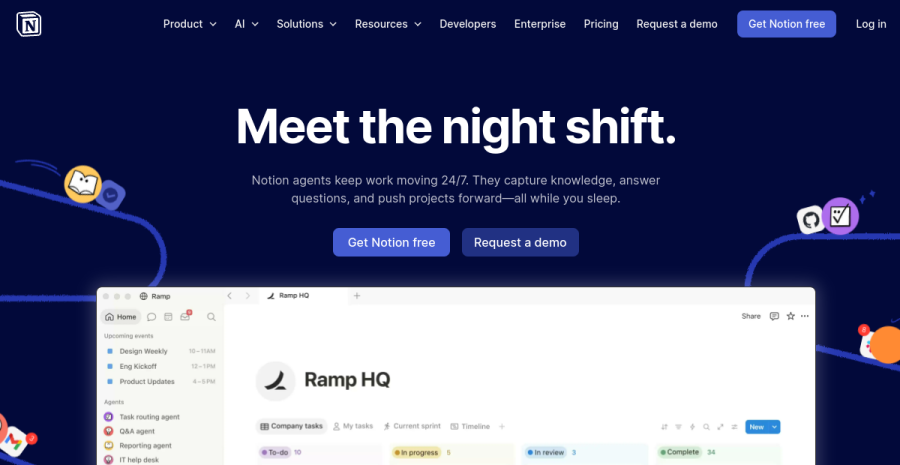
Notion bends to whatever a solo needs it to be — a task board one day, a content calendar the next, a CRM, a wiki, a second brain. The free personal plan is enough to run an entire one-person business, and because everything lives in one tool there is no context-switching tax between notes and tasks and docs.
Its flexibility is also its trap: it is easy to spend the time you saved building the perfect system instead of doing the work. Keep it simple and it is the best single workspace a solo can have — the same recommendation we make for the EU, because organising the work is not a geography problem.
Go deeper: the project management roundup weighs Notion against lighter, more opinionated tools (Todoist, Trello, ClickUp) for solos who would rather have structure handed to them than build it themselves.
5. Work with AI
The newest layer of the stack, and the one with the highest leverage for a team of one. An AI assistant is the closest a solo gets to hiring — a researcher, editor, coder and brainstorming partner on demand. It does not replace any tool above; it makes you faster at using all of them, and there is nothing US- or EU-specific about it.
Claude
Claude is a strong default AI assistant for a solopreneur: capable at long-form writing, editing, coding and reasoning through decisions, with a usable free tier and an affordable Pro plan. For a one-person business it functions as the cheap extra pair of hands you cannot otherwise afford — drafting copy, debugging a script, pressure-testing an idea at 11pm.
ChatGPT is an equally valid pick here; the right answer is usually whichever one you will actually open. Most solos settle on one and add specialised AI tools only for specific tasks.
Go deeper: the AI tools roundup covers general assistants and productivity AI, with worked examples of how a solo actually uses them day to day.
6. Form a company
At some point — usually when revenue, liability or a serious client makes it worth it — a US solo incorporates. The standard move is a US LLC: it separates personal and business liability, looks more credible to clients, and is straightforward to set up in most states. This is the one genuinely US-specific layer in the stack, and the one place we will not pretend to be your authority — verify the state and tax specifics with a US professional.
It is also where the US/EU difference is real but narrow: where an EU solo wrestles with VAT/OSS and e-Residency, a US solo files an LLC and moves on. Notably, our company-formation roundup also covers the US LLC route for non-residents via services like Firstbase and doola — relevant if you are running a US-incorporated business from outside the country.
Go deeper: the company formation roundup covers incorporation options including the US LLC path via Firstbase and doola, so you can see what setting up the legal wrapper actually involves before you commit.
The cheapest US stack: start at ~$0
You do not need a budget to start. The leanest viable stack for a US one-person business looks like this, and it costs essentially nothing until a real limit forces an upgrade:
| Job | Lean start | Monthly cost |
|---|---|---|
| Get paid | Wise + Stripe (per transaction) | $0 base |
| Build & launch | Systeme.io free | $0 |
| Kit free (to 10k subs) | $0 | |
| Run & organise | Notion free | $0 |
| AI assistant | Claude free | $0 |
The honest first upgrade most solos pay for is whichever free-tier ceiling bites first — usually email or build once an audience grows. The LLC is a deliberate, later decision, not a day-one cost. The goal is not to assemble the perfect stack; it is to spend nothing until revenue tells you where to invest.
A note on where we sit
We are a European publication: our deepest expertise is the EU one-person business, and we are not going to fake US tax or legal authority we do not have. For anything US-specific — LLC vs sole proprietorship, state filing, sales tax, self-employment tax — verify with a US pro.
The tools above, though, are a different story. They are not an EU recommendation borrowed for a US audience — they are the same global tools winning everywhere, the ones we would hand a solopreneur in Tallinn or Tampa alike. Get paid with Wise (charge with Stripe), launch on Systeme.io, build your list with Kit, run the work in Notion, and keep Claude on hand. Form a US LLC when it earns its keep. Lean stack first; complexity only when revenue earns it.
Each section above links to a full roundup with worked examples and side-by-side comparisons. Start with the job that is blocking you today, and come back for the next layer when you need it.
Frequently asked questions
What tools does a US solopreneur need?
Best free tools for a one-person business in the US?
Best all-in-one tool for a solo business?
Do US solopreneurs need different tools than the EU?
Keep reading

Best tools for solopreneurs (2026): the complete one-person business stack
The best tools for solopreneurs, organised by need — what every one-person business and freelancer actually needs to get paid, build, grow and run, with an EU angle on VAT, banking and data residency.
Make vs Zapier for solopreneurs (2026): which automation tool to pick
Make vs Zapier for a one-person business — the polished market leader with the widest app library versus the visual scenario builder that goes further for less at volume. The honest fit-comparison, who each suits, the cost-at-scale angle, and where n8n fits. From a team of one.
Pipedrive vs HubSpot for solopreneurs (2026): which CRM fits a team of one
Pipedrive vs HubSpot for a one-person business — a lean, visual sales-pipeline CRM versus a broad platform with a genuinely capable free tier. The honest fit-comparison for a solo, who each suits, and the over-tooling trap to avoid. From a team of one.
Everything here is free. If something saved you time, you can support the author — no product, no signup.