Best AI tools for solopreneurs in 2026 (what I actually use)
ChatGPT, Claude, Jasper, Notion AI, Canva AI — which AI tools genuinely move the needle for a one-person business? A practical, EU-first breakdown of the best free and paid AI tools for solopreneurs and freelancers, with honest costs.

Solo operator · one-person venture studio in Europe (SEO · affiliate · micro-SaaS) · 11 June 2026 · updated 16 July 2026 · 10 min read

The solopreneurs who have the most useful AI workflows are not the ones who tried every tool. They are the ones who picked two or three and learned them well enough to delegate actual work — not just ask for ideas, but hand off execution.
This is a rundown of what works, what costs what, and where the EU-specific angles matter.
A note on honesty. I am going to name ChatGPT and Claude in this list despite having no affiliate relationship with either. They are the two best general-purpose tools and omitting them to point you at something I earn from would be exactly the kind of review that makes the internet worse. Notion appears with an affiliate button below because we use it and believe in it. Jasper gets a mention for marketing copy specifically. Judge accordingly.
The AI stack at a glance
| Tool | What it does | Free tier? | Paid from | EU data option |
|---|---|---|---|---|
| ChatGPT (GPT-4o) | General-purpose LLM, research, drafts, code | ✅ (limited) | ~€20/mo | SCCs, no EU servers |
| Claude (Opus/Sonnet) | Long-context reasoning, analysis, writing | ✅ (limited) | ~€18/mo | SCCs, no EU servers |
| Notion AI | AI inside your docs/wiki/CRM | via Notion free | +€8/seat/mo | EU region available |
| Canva AI | Design, image gen, brand consistency | ✅ (limited) | €13/mo (Pro) | EU data option |
| Jasper | Marketing copy at scale, brand voice | ❌ | ~€39/mo | EU-based servers |
1. ChatGPT (GPT-4o) — the general-purpose workhorse
ChatGPT

ChatGPT Plus at €20/month gives you GPT-4o, OpenAI’s current flagship model, with priority access during peak hours. For a solopreneur, the most useful applications are not the flashy ones — they are the tedious ones: turning bullet notes into a polished client email, summarising a 40-page EU regulation into three actionable points, writing the first draft of a proposal while you handle the client call.
The feature that changed my workflow. Custom instructions. You set your business context — who you are, who you serve, what tone sounds like you — once, and every response is calibrated to it. The output stops sounding like a press release and starts sounding like you drafted it quickly.
Operator mode (via the API) for advanced solos. If you are a developer or technically comfortable, the ChatGPT API lets you build lightweight automations: auto-drafting email replies from a summary, generating invoice descriptions from a project log, tagging incoming support tickets. At low volume, API costs are under €5/month — far cheaper than the UI subscription.
EU angle. OpenAI is a US company. EU data is processed under standard contractual clauses; there are no EU-region servers. For most solopreneurs this is fine — do not paste personal client data in, and you are compliant. OpenAI has a GDPR DPA available and honours data deletion requests.
Pros: the most capable general model; huge ecosystem of integrations; GPT Store has pre-built assistants for most use cases. Cons: US infrastructure; can hallucinate citations confidently; expensive if you add the API on top of Plus.
2. Claude (Sonnet / Opus) — better for long documents and reasoning
Torn between the two general LLMs? ChatGPT and Claude are the two you’d actually choose between — the full head-to-head on writing, coding, ecosystem and which single €20/month to pay for is in ChatGPT vs Claude for solopreneurs. If your day already lives in Google Workspace, add Google Gemini as a third option.
Claude
Claude is Anthropic’s model family. The distinction from ChatGPT in daily practice: Claude handles very long inputs more gracefully — paste an entire contract, a competitor’s pricing page or a 10,000-word research paper and ask targeted questions. The responses tend to be more structured and less prone to padding.
Where Claude specifically wins for solos. Writing-heavy businesses: newsletter writers, consultants, coaches producing long-form content. Claude’s outputs read more naturally on first draft and require less pruning. It is also less likely than GPT to confidently invent a source, which matters if you are researching EU regulations where accuracy is critical.
The context window. Claude Pro’s 200k-token context means you can load your entire content archive, your style guide and a new brief in one session and get outputs that actually match your voice. No other consumer AI tool does this as well at the €18/month price point.
Worked example. A consultant writes a 3,000-word EU market entry report for a client every fortnight. Old process: 6 hours (research + structure + draft + edit). With Claude: load three regulatory documents + previous report as style reference → ask for a structured draft → spend 2 hours editing and adding client-specific observations. Time saved: 4 hours. At €80/hour, that is €320 saved per report for an €18/month subscription.
Pros: best-in-class on long-context tasks; excellent structured output; strong reasoning on policy / legal documents. Cons: smaller integration ecosystem than OpenAI; no image generation built in.
3. Notion AI — AI inside your workspace
Notion AI
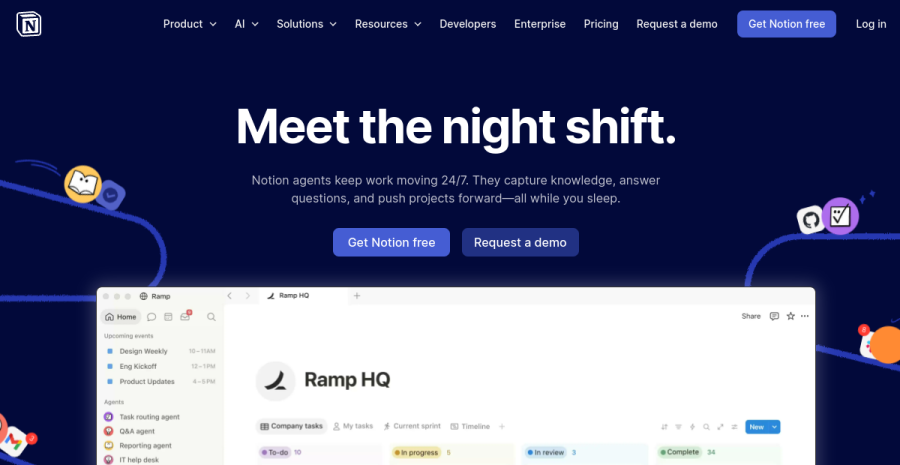
Notion AI is not a standalone product — it is an add-on (€8/seat/month) to a Notion workspace. If you already use Notion for notes, wikis or a light CRM, the AI layer is worth turning on because it works on your data: summarise this meeting note, extract action items from this document, rewrite this in a shorter tone.
The practical value for solopreneurs. The friction of switching to a chat window, explaining context, pasting content, and copying the result back is real. Notion AI eliminates it for the content already in your workspace. Ask it to turn your rough project brief into a structured proposal, and it already knows your typical structure because it has read your previous proposals.
EU region. Notion offers EU data residency on Business and Enterprise plans — your workspace data stays on EU servers. This matters for agencies and consultants who store client deliverables in Notion.
4. Canva AI — design without a designer
Canva AI
Canva’s AI features are baked into the existing Canva interface, so there is no new tool to learn. The most useful for solopreneurs:
- Magic Design — paste your brand colours, a headline and a vague description; get five layout options back in seconds. Not all are good, but one usually is.
- Magic Write — AI copy inside designs. Short social captions, event descriptions, card text. Not a replacement for your content strategy but useful for the 50-word texts you spend 20 minutes on.
- Background removal + image expansion — practical for product images, headshots, banners. Saves a Photoshop subscription for people who only need these specific features.
- Brand Kit (Pro) — upload your logo, fonts and colour palette; every AI-generated asset stays on-brand automatically. The time saving is not in any one design but in not second-guessing brand decisions on every template.
Free vs paid. The free tier includes limited Magic Design uses. The Pro tier (€13/month or ~€110/year) unlocks unlimited AI features, the full asset library and Brand Kit. For any solopreneur producing regular visual content — social posts, email headers, proposal covers — Pro pays for itself in time saved.
5. Jasper — for marketing copy at scale
Jasper
Jasper is expensive (from ~€39/month) and earns it only in a specific scenario: you produce a high volume of marketing copy — ads, landing page variations, email sequences, product descriptions — and you need it to stay consistently on-brand across multiple formats. If you’re weighing it against Copy.ai, Writesonic or just using your LLM, the honest breakdown is in best AI writing tools for solopreneurs.
The Brand Voice feature trains on your existing copy and applies your tone to every output. For a solopreneur writing three landing pages a month or running paid ads across multiple audiences, the brand consistency alone saves editing time. For a newsletter writer or consultant producing one long-form piece a week, ChatGPT or Claude at half the price is the better call.
When Jasper makes sense. You are running a small productised agency or content operation. You have established brand voice. You produce copy volume, not document volume.
Building your actual AI stack
The temptation is to subscribe to everything. The reality: most solopreneurs get 80% of the value from one general-purpose LLM and one specialised tool. Add a specialised tool only when a real bottleneck appears — e.g. if your work runs on calls, an AI meeting notetaker earns its place; if repetitive customer questions eat your time, an AI support tool trained on your docs; otherwise skip it.
| Monthly budget | Recommended stack |
|---|---|
| €0 | ChatGPT free + Canva free. Useful but you will hit limits. |
| €20 | ChatGPT Plus or Claude Pro. Pick one; use it daily before adding anything. |
| €33 | ChatGPT Plus (€20) + Notion AI (€8) — if you use Notion. Or Claude Pro (€18) + Canva Pro (€13). |
| €50 | Claude Pro + Canva Pro + Notion AI. This is the full productive stack. |
| €80+ | Add Jasper if you are doing marketing copy at volume. Not before. |
The honest ceiling for most solopreneurs is the €33–50 tier. Above that you are paying for specialisation that only pays off at scale.
From my own portfolio — the two meters the pricing pages hide. The subscription is the floor, not the ceiling, and when you build with AI instead of just chatting with it, two separate meters start running that nobody warns you about.
Meter one — deploy minutes. Your CI/CD pipeline (the automation that builds and ships your site on every push) usually comes with a free monthly allowance — commonly around 2,000 build minutes. That sounds like plenty until you are vibecoding: AI makes iterating so fast that you catch yourself pushing and redeploying on every one-line tweak. Ten micro-deploys where one would do, all month, and you burn through the free minutes and start paying for build time — or hit a wall mid-week. The fix is pure discipline: batch small changes into one deploy, not ten.
Meter two — AI usage credits. The general LLM subscription is flat, but agentic and AI-coding tools often run on usage on top of it. The free credit allowance evaporates fast on a real project. Decide your monthly ceiling in advance and treat every “top up” prompt as a stop and think, not a reflex.
Budget for both meters, not just the seat price — that is the real monthly cost of building solo with AI.
EU considerations
EU AI Act (effective 2026). The Act classifies general-purpose AI like ChatGPT and Claude as General Purpose AI systems and requires transparency about training data and capabilities. As a user (not a deployer building AI products), your obligations are minimal — this regulation targets the providers. It does not restrict what you use AI for in your business.
Data residency for EU solopreneurs. ChatGPT and Claude process on US infrastructure with SCCs. Canva offers EU data location on Business plans. Notion offers EU region on Business plans. For sole traders and small solo businesses, the practical guidance is simple: do not input personal data of third parties (clients, contacts) into general AI tools without explicit consent and a valid legal basis. Your own business content — drafts, research, strategy docs — is fine.
GDPR tip. If you build any automation that feeds customer data into an AI API (e.g., auto-summarising support emails), that makes you a data controller using an AI processor. Sign the vendor DPA and document the processing activity. 20 minutes of paperwork now, zero risk later.
Cross-links: if AI is part of how you build products, see The five-tool stack I run my one-person business on and Vibecoding a landing page in a weekend. For EU-specific data and compliance context, read EU VAT OSS explained for solopreneurs.
Frequently asked questions
Which AI tools does a one-person business actually need?
Is a paid AI subscription worth €20/month for a solo business?
Are AI tools GDPR-compliant for EU solopreneurs?
Free vs paid AI stack — where is the real line for a solopreneur?
Keep reading
ChatGPT vs Claude for solopreneurs (2026): which AI should you pay for?
ChatGPT vs Claude, decided for a one-person business on a €20/month budget — not a benchmark leaderboard. Where each genuinely pulls ahead for a solo (writing, coding, research, ecosystem), how to pick one, and the EU data rule that applies to both.
Best AI meeting notetakers for solopreneurs (2026): auto-notes from client calls
For a solo consultant, coach or freelancer, an AI notetaker turns every client call into a transcript, summary and action list — so you can listen instead of scribble. Fathom, Fireflies, Otter, tl;dv and Granola compared, plus the GDPR recording-consent rule you must not skip.
Google Gemini for solopreneurs (2026): where it beats ChatGPT and Claude
The honest case for Google Gemini as a solo's main AI — and where it still loses to ChatGPT and Claude. Its real edge is living inside the Google tools you already use (Gmail, Docs, Sheets), a huge context window and generous free access. When to pick Gemini, and the EU data rule that applies to all three.
Everything here is free. If something saved you time, you can support the author — no product, no signup.