Best digital contract & proposal software for freelancers (2026): e-signature tools compared
Bonsai, PandaDoc, Contractbook, Concord or DocuSign — the best contract software, proposal and e-signature tools for freelancers and solopreneurs. EU-first comparison covering eIDAS legal validity and GDPR data residency.

Solo operator · one-person venture studio in Europe (SEO · affiliate · micro-SaaS) · 12 June 2026 · updated 12 June 2026 · 12 min read

A freelancer needs a signed contract before the work starts — not after a dispute, when it is already too late to write one. That single piece of timing is the whole reason this category exists: the document that protects you only protects you if it is signed and dated before the first deliverable, with a clear scope and a payment schedule both sides agreed to in writing. Everything below is judged by how well it gets a solo from “here is my proposal” to “here is your signed contract” with the least friction — and, because you are in the EU, with e-signatures that actually hold up under eIDAS.
How I evaluated these. I weighed five things that matter to a one-person business: whether the tool covers the whole flow (proposal → contract → e-signature → invoice) or just one slice of it; e-signature legal standing in the EU (eIDAS compliance and a defensible audit trail); GDPR and data residency (where the signed documents live); price against a freelancer’s real volume — a few documents a month, not a few hundred; and time-to-first-signature for someone with no legal team. Prices are public 2026 figures; check vendor pages before committing.
At a glance
| Tool | What it is | EU / eIDAS | Best for | Starting price |
|---|---|---|---|---|
| Bonsai | All-in-one freelancer admin | eIDAS-aware e-sign | Contracts + proposals + invoicing in one | ~€21/mo |
| PandaDoc | Proposal + document automation | eIDAS-compliant e-sign | Polished, branded proposals | Free tier · ~€19/mo |
| Contractbook | EU contract lifecycle | ✅ EU-based, eIDAS | EU clients who need defensible e-sign | ~€12/mo |
| Concord | Simple contract lifecycle | eIDAS-compliant e-sign | Clean contract management | Free tier · ~€17/mo |
| DocuSign | The e-signature standard | eIDAS + QES options | Clients who insist on DocuSign | ~€9/mo (single user) |
1. Bonsai — all-in-one freelancer admin
Bonsai
Bonsai is built for exactly one customer: the freelancer running the whole business alone. It bundles proposals, contracts, e-signatures, invoicing, time tracking and even basic client CRM into a single subscription — which is the point. Instead of paying for a proposal tool, a contract tool and an invoicing tool separately, you run the entire client lifecycle from one login.
The contract flow is the strong part. Bonsai ships with lawyer-vetted contract templates for the common freelance situations — design, development, consulting, writing — and the proposal-to-contract handoff is seamless: a client accepts the proposal, e-signs the attached contract, and the project clock starts. The e-signature is captured with a timestamped audit trail.
Where it shows its limits. It is freelancer software, not enterprise document automation — if you need conditional clause logic, multi-party redlining or a deep clause library, Concord or Contractbook go further. There is no permanently free tier; you commit to a subscription, though it replaces several others.
Pros: one tool for proposals, contracts and invoicing; template library aimed at solos; fastest path from pitch to signed and billed. Cons: no free tier; e-signature is solid but not the focus; less depth than dedicated contract platforms.
2. PandaDoc — polished proposals + e-sign
PandaDoc

PandaDoc is where you go when the proposal is doing sales work for you. Its document editor produces genuinely good-looking, on-brand proposals — embedded pricing tables, images, video, accept-and-pay buttons — and the e-signature is built into the same document, so a client reads the pitch and signs without leaving the page.
The free e-sign tier is a real entry point. PandaDoc offers a free plan for unlimited e-signatures on uploaded documents, which alone covers a freelancer who just needs to get contracts signed. The paid tiers unlock the proposal templates, the analytics (did they open it? how long on the pricing page?) and CRM integrations. New to its gallery? See the best PandaDoc templates for freelancers — the six documents (proposals, contracts, service agreements, quotes) a solo actually needs, and how to adapt them.
Where it falls short for a solo. The full proposal feature set is priced for sales teams, so the jump from free e-sign to the proposal plan is a meaningful step up. It is also more tool than a brand-new freelancer needs — if you close one client a month, the analytics and template automation are overkill.
Pros: best-looking proposals in this list; free unlimited e-signature tier; open/engagement tracking; eIDAS-compliant signatures. Cons: proposal plans priced for teams; more features than a beginner solo needs; US company (check data-residency options for EU clients).
3. Contractbook — EU-based, eIDAS e-signatures
Contractbook
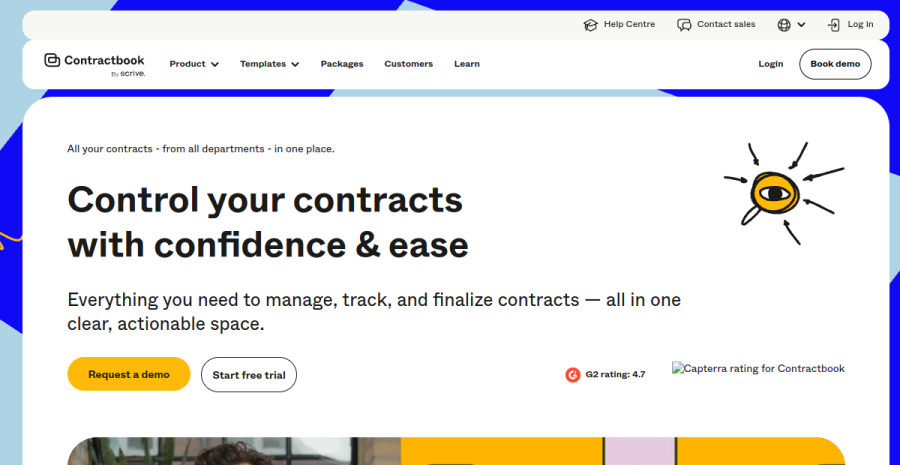
Contractbook is a Danish company, and for an EU freelancer that is the headline: your contracts are stored in the EU and its e-signatures are eIDAS-compliant by design, with support for the higher advanced and qualified signature tiers when a client or document demands them. If your clients are European businesses with their own compliance checklists, this removes a question before it is asked.
It is a contract platform, not a proposal builder. The focus is the full contract lifecycle — drafting from templates, sending for signature, storing every signed copy in one searchable place, and tracking renewal or deadline dates. That last part matters for retainer freelancers who keep losing track of when an agreement is up for renewal.
The trade-off for a pure solo. You are paying for contract management depth you may not fully use at the start, and it does not bundle invoicing the way Bonsai does. If proposals are your priority, PandaDoc looks better on the page. But for defensible, EU-resident, eIDAS-grade signatures, this is the cleanest pick here.
Pros: EU-based data residency; eIDAS-compliant including AES/QES paths; strong contract storage and renewal tracking; GDPR-native. Cons: no proposal-design tooling; no built-in invoicing; more contract-ops than a one-client-a-month solo needs.
4. Concord — simple contract lifecycle
Concord
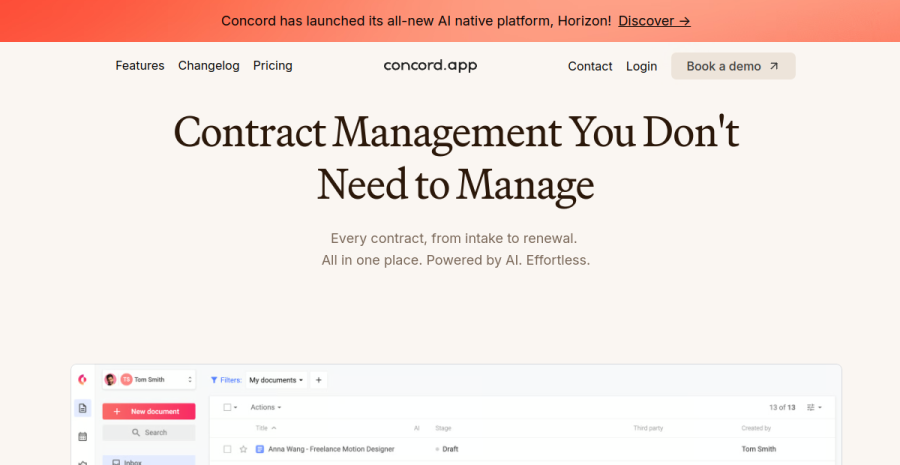
Concord sits between a basic e-signature tool and a heavyweight contract platform. You draft or upload a contract, negotiate it inline (comments and redlines in the document), get it e-signed, and keep everything in a central, searchable repository. It is contract lifecycle management without the enterprise weight or enterprise price.
The free tier earns it a place here. Concord offers a free plan with unlimited e-signatures and a capped number of stored contracts — enough for a freelancer who wants negotiation and signing in one place without paying until volume grows. The collaborative editing is genuinely useful when a client wants to change a clause: you redline in the document instead of emailing Word files back and forth.
Where it is weaker. No proposal design and no invoicing — this is contracts only. The interface is functional rather than polished, and for a true one-person operation the collaboration features can feel like more process than your workflow needs.
Pros: free tier with unlimited e-sign; inline negotiation and redlining; central contract repository; eIDAS-compliant signatures. Cons: contracts only — no proposals or invoicing; plainer UI; collaboration depth aimed more at small teams than solos.
5. DocuSign — the e-signature standard
DocuSign
DocuSign is the name a client will never push back on. It is the most widely recognised e-signature service in the world, its signatures are eIDAS-compliant with qualified (QES) options available, and when a larger client says “send it through DocuSign,” having it ready closes the deal faster. That ubiquity is the entire value proposition.
It does one thing. DocuSign is e-signature, not proposals or contract drafting. The single-user “Personal” plan covers a freelancer who just needs documents signed each month, with templates and a strong audit trail. For most solos that plan is enough; the higher tiers add features built for teams.
The catch for a solo. You are paying business-grade pricing for a single feature, and the per-document allowance on the cheapest plan is low — fine if you close a couple of clients a month, tight if you send a lot. If you want proposals, contracts and invoicing too, a bundled tool like Bonsai is better value. But for pure, universally-accepted signatures, DocuSign is the safe default.
Pros: the recognised industry standard; eIDAS + QES support; rock-solid audit trail; clients trust it instantly. Cons: signature only — no proposals or invoicing; priced per-feature for a freelancer; low document cap on the entry plan.
A worked example
Take Mart, an independent UX consultant in Tartu billing ~€4,000/month across two or three EU clients. He sends roughly two proposals a month and signs two to three contracts. On the free template + PDF route his cost is €0, but each deal eats maybe 40 minutes — rebuilding the proposal in a doc, exporting, chasing a scanned signature with no real audit trail. At his effective rate (~€60/hour), those ~2 hours a month of admin quietly cost him ~€120.
Bonsai at ~€21/month replaces the proposal doc, the contract template and his separate invoicing tool, cutting that flow to ~10 minutes per deal — it pays for itself before the second contract of the month. PandaDoc’s free e-sign tier covers the signatures alone at €0, but leaves the proposal and invoice work manual. Contractbook at ~€12/month is the call the moment a German or French client’s procurement team asks for an eIDAS-grade signature with EU-resident storage — at which point a scanned PDF stops being acceptable and the €12 buys you out of the problem.
How to choose
| If you are… | Start with |
|---|---|
| Running your whole solo business from one login | Bonsai (proposals + contracts + invoicing) |
| Selling with the proposal — design and pricing matter | PandaDoc (free e-sign, polished proposals) |
| Working mostly with EU clients who care about compliance | Contractbook (EU-resident, eIDAS-grade) |
| Wanting contract negotiation + storage on a budget | Concord (free tier, inline redlining) |
| Dealing with a client who insists on the standard | DocuSign (universal, trusted) |
| Just starting and closing one client a month | A solid template + any free e-sign tier above |
The honest answer for most freelancers: Bonsai if you want everything in one place, Contractbook if your clients are EU businesses, and a free e-signature tier (PandaDoc, Concord or DocuSign Personal) plus a good template if you are just getting started. Every option here has either a free tier or a low single-user plan, so you can sign your next contract properly without committing to a stack.
The mistake solos make in this category isn’t picking the wrong tool — it’s buying any tool too early while skipping the one thing that matters: getting something signed and dated before the work starts. A €0 lawyer-checked template e-signed for free beats a €21/month subscription you bought to feel professional and then sent contracts late anyway. So: at one or two clients a month, run a template plus a free e-sign tier and spend nothing. The day proposals go weekly, or an EU client’s compliance checklist appears, upgrade decisively — Bonsai if invoicing and proposals are your bottleneck, Contractbook if eIDAS and EU data residency are. Don’t pay for contract-ops depth you won’t use, and never let “I haven’t set up the software yet” be the reason you started work unsigned.
Do you even need this yet? Be honest about your stage. If you are closing one or two clients a month, you do not need contract software — you need a contract. A solid, lawyer-checked template (scope, deliverables, payment terms, payment schedule, kill fee, IP transfer on final payment) that you fill in and send for a free e-signature is genuinely enough, and it costs nothing. The point is never the tool — it is that something signed and dated exists before you start work. Buy the software when the admin of doing this manually starts costing you more than the subscription: when you are sending proposals weekly, chasing renewals, or tired of rebuilding the same document every time. Until then, a template plus a free e-sign tier beats a paid plan you are not using.
EU footnote: what makes an e-signature hold up
Under the EU eIDAS Regulation, electronic signatures are legally valid and admissible across every EU member state — a contract cannot be denied legal effect just because it was signed electronically. Practical checklist for a freelancer:
- Match the signature tier to the document. For ordinary freelance service agreements, a simple (SES) or advanced (AES) electronic signature is sufficient — every tool here provides this. A qualified signature (QES) is only needed for specific high-stakes documents that the law singles out.
- Keep the audit trail. Timestamp, signer identity and IP are what make the signature enforceable if it is ever challenged. All five tools generate this automatically — don’t disable it, and keep the signed copy.
- Mind GDPR data residency. Your signed contracts contain personal data. For EU clients, an EU-based option like Contractbook keeps that data inside the EU by default and simplifies your compliance documentation; US-based tools are legal under standard contractual clauses but add a paragraph to your records.
- Prefer an EU-based option for EU clients. It is rarely a hard legal requirement, but it removes friction — and it is a genuine trust signal when the person signing is European.
Cross-links: new to contracts? Start with how to write a freelance contract in the EU and the 9 clauses every freelancer needs. Contracts are one layer of the solo admin stack — see the full picture in best tools for solopreneurs, and pair your signed contract with the money side in our invoicing & accounting roundup.
Frequently asked questions
Do freelancers need contract software?
What is the best e-signature tool for a solopreneur?
Is an electronic signature legally valid in the EU?
Cheapest contract tool for freelancers?
Keep reading
Best PandaDoc templates for freelancers (2026): service agreements, proposals, contracts & quotes
The six PandaDoc templates a freelancer actually needs — service agreement, proposal, quote, retainer, change order, invoice — what a good one contains, how to adapt the gallery versions, and a free contract template if you do not want a subscription. PandaDoc's gallery can carry most of a freelancer's paperwork — if you pick the right templates and adapt them properly. The six document templates a solo actually needs, what a good one contains, and how to customise merge fields, pricing tables and signing order.
9 contract clauses every freelancer needs (and what each one protects)
The essential freelance contract clauses for the self-employed in the EU — from scope and payment terms to IP transfer, kill fees and late-payment rights — and exactly what each one protects you from.
How to write a freelance contract in the EU (2026): the no-lawyer guide
A plain guide to writing a freelance contract as a self-employed solo in the EU — what every contract must include, the EU-specific clauses (late payment, IP, false self-employment), e-signatures, and how to do it without a lawyer.
Everything here is free. If something saved you time, you can support the author — no product, no signup.