Best scheduling & booking app for solopreneurs (2026)
Cal.com, TidyCal, Calendly, SavvyCal or Acuity — the best booking app and scheduling tool for solopreneurs and freelancers. EU-first comparison with the best free Calendly alternative and a GDPR, self-host angle US lists skip.

Solo operator · one-person venture studio in Europe (SEO · affiliate · micro-SaaS) · 12 June 2026 · updated 12 June 2026 · 11 min read

As a solopreneur, your calendar is your storefront — and the back-and-forth of “does Tuesday work? no, how about Thursday?” is pure unpaid friction that no client ever thanked you for. A booking app turns that friction into a single link: you set your hours once, clients pick a slot, and the meeting lands on both calendars without a single email. For a one-person business, that is not a luxury — it is the difference between selling your time and administering it.
How I evaluated these. I weighted four things a solo actually feels: the free tier ceiling (how many event types and calendars before you pay?), the booker experience (does your client find it easy, or just you?), paid-booking support (can you take money or a deposit at booking time?), and the EU/GDPR angle — data residency, DPAs, and whether you can self-host. Prices below are public 2026 figures; check vendor pages before committing.
At a glance
| Tool | Free tier | Paid bookings | EU / GDPR angle | Best for | Starting paid price |
|---|---|---|---|---|---|
| Cal.com | Unlimited event types, 1 calendar | ✅ Stripe | ✅ Open-source, self-host on EU servers | Data control + GDPR | ~€12/mo |
| TidyCal | Generous free + lifetime deal | ✅ Stripe/PayPal | DPA available | Cheapest long-term | ~€29 lifetime |
| Calendly | 1 event type | ✅ Stripe/PayPal (paid plans) | DPA, SCCs (US-based) | Familiar default | ~€10/mo |
| SavvyCal | 7-day trial | ✅ (higher tiers) | DPA (US-based) | Best booker UX | ~€12/mo |
| Acuity | 7-day trial | ✅ Deposits + full pay | DPA (US-based) | Intake-heavy services | ~€16/mo |
1. Cal.com — open-source, self-hostable, GDPR-first
Cal.com
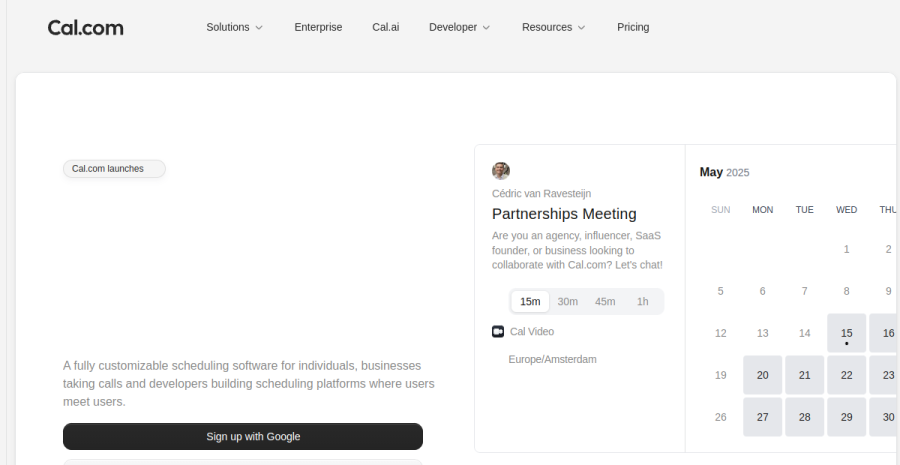
Cal.com is the open-source scheduling infrastructure that the rest of this list quietly competes against. The hosted version works like any other booking tool — connect a calendar, publish a link, done — but the thing that sets it apart for an EU solopreneur is the licence: it is AGPL open-source, which means you can self-host it on your own EU server and keep every booker’s name, email and meeting note inside your own infrastructure.
Why that matters for GDPR. Self-hosting removes the third-party processor from your calendar layer entirely. There is no data-processing agreement to sign for the scheduler because there is no processor — the booking data never leaves servers you control. That is the cleanest compliance story available, and it is genuinely unique here. If self-hosting is more than you want to take on, the hosted plan signs a standard DPA.
The free tier is real. Unlimited event types and one connected calendar at no cost — more generous than Calendly’s single-event-type free plan. Paid tiers (~€12/month) add team features, routing forms, and Stripe-backed paid bookings.
Worked example. An Estonian freelance developer offers three call types — a free 15-min intro, a paid €120/hour consult, and a 90-min project kickoff. On the free plan all three event types are live; the paid consult collects payment through a connected Stripe account. When they later self-host on a small Hetzner box in Germany, the monthly licence cost drops to €0 and the booking data never leaves EU soil.
Pros: open-source and self-hostable; strongest GDPR story; generous free tier; modern, fast booking UI. Cons: self-hosting needs basic DevOps comfort; the hosted product occasionally ships features ahead of polish.
2. TidyCal — the cheap lifetime-deal pick
TidyCal

TidyCal’s pitch is brutally simple: a competent booking tool you can buy once and never pay for again. The lifetime deal (typically around €29 one-time) is the headline, and for a cost-conscious solopreneur it removes the one thing every other tool on this list keeps charging for — the monthly subscription.
What you get. Multiple booking types, calendar connections, Stripe and PayPal payments for paid bookings, group bookings and a clean public booking page. It is not the most elegant tool here, but it covers the entire job a freelancer needs without nickel-and-diming you per feature.
Where it shows its price. The integrations list is shorter than Calendly’s, the design is functional rather than delightful, and advanced routing or intake logic is thin. For a solo running straightforward calls and paid sessions, none of that bites. For a complex multi-service intake flow, look at Acuity instead.
Worked example. A Latvian copywriter sells 30-minute paid strategy calls at €60. They buy the TidyCal lifetime deal once, connect Stripe, and embed the booking link on their site. Two years in, total spend on scheduling is still ~€29 — versus roughly €240+ on a €10/month subscription tool over the same period.
Pros: one-time lifetime pricing; paid bookings via Stripe/PayPal; covers the solo basics fully. Cons: fewer integrations; plainer booker experience; light on advanced intake.
3. Calendly — the familiar default
Calendly
Calendly is the tool your clients have probably already used. That ubiquity is an underrated feature: when you send a Calendly link, nobody is confused about what to do. For a solopreneur who values zero-friction adoption over everything else, the safe default is often the right one.
The free tier and its catch. Calendly is free, but the free plan limits you to a single event type. The moment you offer more than one kind of meeting — a free intro and a paid consult, say — you are pushed to the paid tier (~€10/month), which unlocks multiple event types, paid bookings via Stripe/PayPal, reminders and integrations.
EU note. Calendly is US-based, so subscriber and booking data sits on US infrastructure under standard contractual clauses. It signs a DPA and is GDPR-compatible, but if data residency is a hard requirement for your audience, Cal.com’s self-host route is the cleaner answer.
Worked example. A Berlin UX consultant publishes one paid 45-minute audit call at €150. On the free plan a single event type is allowed, but to collect payment at booking she needs the paid tier — ~€10/month unlocks Stripe payments, automated reminders and a second free-intro event type alongside it.
Pros: instantly familiar to clients; reliable; broad integrations; polished. Cons: free tier capped at one event type; US data residency; gets pricey as you add seats/features.
4. SavvyCal — the best booker experience
SavvyCal
SavvyCal flips the usual scheduling dynamic. Instead of a one-sided “here are my slots, pick one,” it lets the person booking overlay their own calendar on yours and find a time that genuinely works for both — which removes the most annoying part of scheduling for the other side of the link. For a solopreneur whose bookings are with busy clients and collaborators, that courtesy converts.
Why it stands out. The booking interface is the most thoughtfully designed here: personalised links, named time ranges (“Mornings this week”), polished proposals for picking between options, and timezone handling that just works. It is the tool to choose when the quality of the experience your client has is part of your brand.
The trade-offs. No permanent free tier — a 7-day trial then ~€12/month. Paid bookings are supported on the higher tiers. And like Calendly, SavvyCal is US-based, so the GDPR story is a DPA rather than self-hosting.
Worked example. A consultant who books a lot of cross-timezone calls with EU and US clients uses SavvyCal’s overlay so each client lands a slot in one go, no reschedule emails. At ~€12/month the smoother booker experience pays for itself in fewer no-shows and back-and-forth.
Pros: best-in-class booker UX; calendar overlay; excellent timezone and proposal handling. Cons: no permanent free tier; US data residency; paid bookings only on higher tiers.
5. Acuity Scheduling — built for service businesses and intake
Acuity Scheduling
Acuity (a Squarespace product) is the heavyweight when your bookings come with baggage — intake forms, questionnaires, deposits, multiple service types, packages and recurring appointments. If you are a coach, therapist, photographer or any service provider whose client onboarding starts before the call does, Acuity is built for you in a way the lighter tools are not.
Intake is the differentiator. You can attach custom intake forms to each service, require a deposit or full payment before the slot is confirmed, sell packages and gift certificates, and manage different appointment types with their own durations, prices and prep questions. This is genuinely the strongest paid-booking and intake engine on the list.
The cost of that power. No permanent free tier — a 7-day trial, then plans from ~€16/month that climb as you add features. The interface is denser than TidyCal or Calendly because it is doing more. Acuity is US-based (Squarespace); it signs a DPA, but there is no self-host route.
Worked example. An Estonian photographer offers three shoot packages, each with a questionnaire and a 30% deposit. Acuity collects the deposit at booking, gates the slot until it clears, and routes the intake answers to the photographer before the shoot — work that would take a Stripe-plus-forms duct-tape stack elsewhere. Cost: ~€16/month on the mid tier.
Pros: unmatched intake forms and deposits; multiple service types and packages; strong paid-booking engine. Cons: no free tier; denser UI; US data residency; pricier than the lightweight options.
A worked example
Meet Liis, a mindset coach in Tallinn selling paid 1:1 sessions. She runs two event types — a free 20-minute intro and a paid €90 coaching call — and books around 35 paid calls a month, all collecting payment at booking via Stripe. Watch how the choice prices out. Calendly can do it, but the free plan caps her at one event type, so the intro-plus-paid combo forces the ~€10/month tier — €120/year, ongoing. TidyCal does the identical job for a ~€29 one-time lifetime deal; over two years that is ~€29 versus Calendly’s ~€240, and her booker experience barely differs for simple calls. Cal.com matches both and adds the self-host escape hatch she does not yet need. On 35 calls × €90 = €3,150/month, the subscription is noise — but TidyCal’s lifetime deal is free money for a stable two-event setup. The decision that actually matters is downstream: every €90 call is a sale, so EU VAT and an invoice are due the moment Stripe charges. The scheduler is not her compliance layer — she wires it to a VAT-handling payment layer, not a raw Stripe account. Liis buys TidyCal once and spends her saved attention on invoicing, not subscriptions.
How to choose
Comparing the two most-recognised options directly? See Calendly vs Cal.com — the familiar default against the open-source, GDPR-first challenger.
| If you are… | Start with |
|---|---|
| An EU solo who wants data control or to self-host | Cal.com (open-source, GDPR-first) |
| Minimising long-term cost above all | TidyCal (lifetime deal, pay once) |
| Wanting the link clients already recognise | Calendly (the safe default) |
| Booking busy clients across timezones | SavvyCal (overlay = best booker UX) |
| Running intake-heavy services with deposits | Acuity Scheduling (forms + packages) |
The honest answer for most solopreneurs: Cal.com if you care about EU data control, TidyCal if you care about price, Calendly if you care about your client recognising the link. The mistake solos make in this category is treating the scheduler as the decision and the money as an afterthought — they pay €10–€16/month for a polished booking link, then bolt a raw Stripe account onto it and discover at year-end that nobody handled EU VAT or proper invoices on a single paid slot. For simple, stable call types the booking tool is nearly a commodity: TidyCal’s one-time ~€29 beats years of subscription, and the elegance gap with Calendly is invisible to a client clicking a slot. So spend two minutes choosing the scheduler, then spend the real effort on the payment layer behind it — if your bookings take money, the merchant-of-record that handles VAT matters far more than which calendar UI you picked.
EU footnote: a paid booking is a sale
The moment a client pays for a slot — a deposit, a consult fee, a packaged shoot — you have made a sale, and the EU VAT and invoicing rules apply just as they would for any other product. The scheduler collects the money, but it is not your compliance layer: it hands off to Stripe (or PayPal) and leaves VAT, invoices and cross-border thresholds to you. For a solo selling to EU consumers, that gap is exactly where a merchant-of-record layer earns its keep — so if paid bookings are a real part of your income, read our payment processors roundup for the layer that actually handles VAT, not just the card charge.
On data: Cal.com self-hosted is the cleanest GDPR answer because the booking data never leaves servers you control — no third-party processor for the calendar at all. The hosted and US-based options are all GDPR-compatible via DPAs and standard contractual clauses, which is legal and fine for most solos; just collect the minimum on your booking form and turn on only the fields you actually need.
Cross-links: scheduling is one tile in a bigger stack — see the best tools for solopreneurs for the full one-person toolkit, and if your bookings take money, the payment processors roundup covers the merchant-of-record layer that handles EU VAT on every paid slot.
Frequently asked questions
What is the best booking app for a freelancer?
Best free Calendly alternative?
How do I take paid bookings as a solopreneur?
Is there a GDPR-friendly / open-source scheduler?
Keep reading
Calendly vs Cal.com for solopreneurs (2026): the scheduling showdown
Calendly vs Cal.com for a one-person business — the polished market leader versus the open-source challenger. Ease against control, free tiers, integrations and the GDPR self-hosting angle. Which scheduler fits a solo, honestly. From a team of one.
No single AI makes a whole product: the solo production stack, by product type (2026)
The mistake behind most failed solo builds: expecting one AI to take a product from idea to finished. It doesn't work that way — each model is strong at one link (code, visuals, voice, copy, structure) and mediocre at the rest. Here is the chain for each product type, which kind of tool covers which link, and where a human still has to stand.
Best AI customer support tools for solopreneurs (2026): chatbots & live chat, honestly
For a one-person business the real question isn't 'which live chat' — it's whether you need chat at all, or an AI trained on your docs plus a great FAQ. Crisp, Tidio, Chatbase, Intercom and the free options compared, with the EU angle: a chat log is personal data.
Everything here is free. If something saved you time, you can support the author — no product, no signup.